
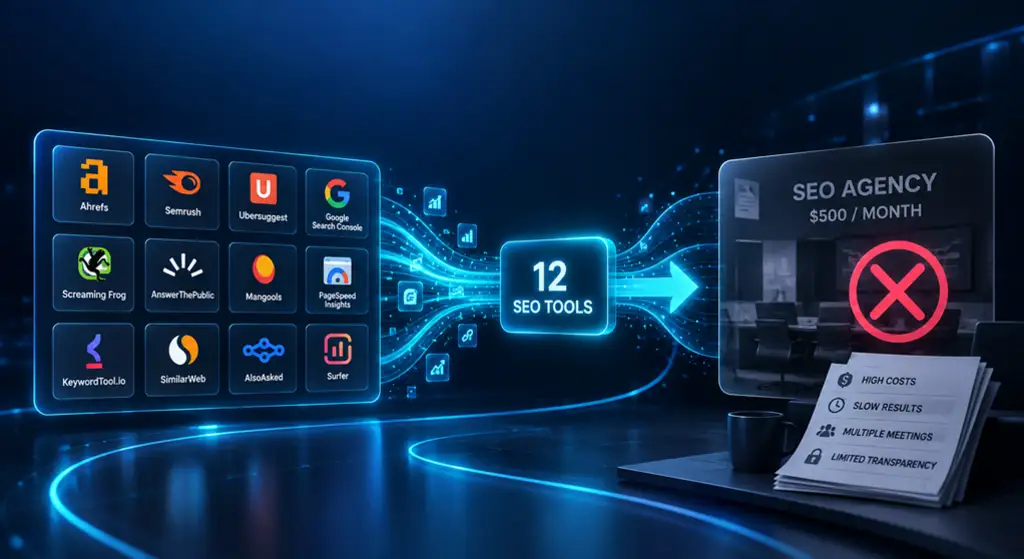
Paying $500 every month for SEO can feel frustrating when you still aren’t sure what you’re getting. Keyword research, audits, content planning, and reporting can take up much of that budget. Yet many of these tasks can now be handled with SEO software and a workflow.
This guide explores 12 SEO tools that can reduce repetitive agency work without pretending that software replaces human judgment. You’ll see which tools help with technical SEO, rank tracking, competitor analysis, content optimization, and reporting. You’ll also learn where each tool fits, when you need it, and which tasks still require experience. That can help you build an SEO stack without wasting money unnecessarily.
Can SEO tools really replace a $500/month agency?
A $500 monthly SEO service usually covers several recurring tasks rather than one mysterious process. An agency may research search terms, analyze competitors, find technical problems, plan content, monitor rankings, and prepare reports. Many of these jobs now have dedicated software.
However, software doesn’t understand your business the way you do. A tool can identify a content gap or ranking opportunity, but you still need to decide whether that opportunity matters. Think of an SEO platform as a dashboard in a car. It shows speed, fuel, and warnings. You still decide where you’re going.
| Agency task | What software can do | What you still need to do |
| Keyword research | Find terms and search data | Select useful targets |
| Competitor analysis | Find competing pages and terms | Judge business relevance |
| Technical audits | Detect website issues | Decide what to fix first |
| Content planning | Find topics and SERP patterns | Build useful content |
| Rank tracking | Monitor positions | Decide what needs improvement |
| Reporting | Collect performance data | Explain the business result |
The common beginner mistake is buying several subscriptions before learning how to use one properly. Start with your biggest SEO bottleneck. Then add another platform only when it solves a clear problem.
12 SEO tools that can replace expensive agency tasks
The following platforms cover different parts of the SEO process. Some are broad all-in-one systems. Others focus on technical crawling, local search, content, or reporting. You don’t need every tool listed here. Your goal should be to build a stack that matches your workload.
1. Semrush for an all-in-one SEO workflow
Semrush combines keyword research, competitor analysis, position tracking, site auditing, and other search marketing features in one platform. Its current SEO Classic plans start at $139.95 per month for Pro and rise to $249.95 for Guru and $499.95 for Business.
For a small website, the biggest benefit is convenience. You can research competitors, find content opportunities, audit your site, and monitor rankings without constantly switching platforms. However, don’t pay for higher limits unless your website actually needs them.
2. Ahrefs for backlinks and competitor research
Ahrefs is especially useful when backlink analysis and competitor research are important parts of your strategy. Its current paid plans include Starter at $29 per month, while Lite starts at $129 per month and provides broader limits for small businesses and personal projects.
The platform can reveal competing pages, ranking terms, referring domains, and content opportunities. That’s helpful when you want to understand why another website is attracting search visibility. However, Ahrefs and Semrush overlap in many areas. Buying both only makes sense when their different data or workflows solve a specific need.
3. SE Ranking for a leaner SEO stack
SE Ranking brings rank tracking, site audits, keyword research, backlink monitoring, and reporting into one platform. That makes it useful for smaller websites that want several common SEO functions without building a large collection of subscriptions.
For example, a local service company could track its important search terms and run regular technical checks from the same account. The mistake would be choosing software only because it’s cheaper. Check whether its data limits and features actually fit your website first.
4. Google Search Console for first-party search data
Google Search Console provides information directly connected to your website’s presence in Google Search. You can examine search queries, impressions, clicks, click-through rate, indexing, and individual page performance.
This makes Search Console useful even when you already pay for another platform. A page might receive impressions for a query you never intentionally targeted. That information can reveal opportunities for better headings, stronger sections, or related content. Google’s own documentation also recommends Search Console as a way to monitor search performance and how Google interacts with your site.
5. Google Analytics for what happens after the click
Getting visitors from Google is only part of the story. Google Analytics helps you understand what those visitors do after reaching your website through organic search traffic.
Imagine two pages attract similar traffic. One produces several inquiries while the other produces none. Rankings alone won’t show that difference. Analytics helps connect search traffic with engagement, landing pages, and conversions. For that reason, it adds a business layer that most dedicated SEO platforms cannot provide on their own.
6. Screaming Frog for technical SEO audits
Screaming Frog works as a detailed website crawler. It can uncover broken links, redirects, missing metadata, status-code problems, heading issues, canonicals, and other technical signals.
This becomes particularly useful after a redesign, migration, or major content update. A small website may not need a paid crawler every month. You can run a crawl when a technical check is actually necessary. The common mistake is treating every reported issue as equally important. Prioritize problems that affect crawling, indexing, usability, or important pages.
7. Sitebulb for easier technical reporting
Sitebulb also focuses on website crawling but places strong emphasis on visual reports and explanations. That can make technical SEO findings easier to understand for beginners.
Screaming Frog is useful when you want detailed crawl control and data. Sitebulb can be more comfortable when you want findings presented in a more guided format. Neither automatically fixes your website. The real value comes from understanding which issues matter and taking the right action.
8. Surfer SEO for content optimization
Surfer SEO helps writers examine search results and improve content optimization. It can provide information about topics, related terms, headings, and other characteristics found across ranking pages.
This can reduce the time spent creating content briefs. However, don’t turn a content score into your main goal. A page with a high score can still be boring, inaccurate, or unhelpful. Use software to identify missing information, then make the final content useful for the reader.
If you’re deciding which search terms deserve attention before creating content, your WebSeoKit article on how to find low-competition keywords that actually convert fits naturally here. It explains why search volume alone isn’t enough when choosing targets.
9. AgencyAnalytics for automated reporting
Monthly reporting can take more time than people expect. AgencyAnalytics helps organize SEO reporting, dashboards, rank tracking, and client-facing performance information in one place.
This becomes more useful when you manage several websites or clients. A business owner with one site may not need dedicated reporting software. Search Console and Analytics can provide plenty of information. The key point is that automated reports save administrative time. They don’t improve rankings by themselves.
10. BrightLocal for local SEO
Local businesses need different information from national websites. BrightLocal focuses on local SEO, local rankings, citations, Google Business Profile work, and reputation-related tasks.
A roofing company serving Dallas, for example, needs to understand visibility around its service area. National keyword data doesn’t fully answer that question. Local tracking can show how rankings change across locations. On the other hand, a website targeting a national audience may gain little from paying for a local-focused platform.
11. Whitespark for local citation research
Whitespark focuses on citation building, local rankings, and finding citation opportunities. Citations are mentions of business information on relevant online directories and platforms.
The important point is quality. Submitting a business to hundreds of weak directories isn’t a shortcut to stronger local visibility. A better approach is to identify reputable and relevant sources for the business and its market. Whitespark can reduce some of the manual research involved in that process.
12. AI SEO and automation platforms
AI-driven platforms are increasingly adding SEO automation, content workflows, SERP research, and AI-search monitoring. These systems can reduce repetitive research and help organize large amounts of information more quickly.
However, automation has a clear limit. AI can help gather data or produce a first draft, but important business content still needs human review. Facts, claims, brand messaging, search intent, and final recommendations all deserve careful checking.
How to build your own $500/month agency replacement
You don’t need to spend $500 on software simply because an agency charges $500 for its service. Those expenses aren’t equivalent. An agency fee includes human time, experience, communication, strategy, and execution as well as software costs.
For a beginner, a simple stack is usually enough. Start with Search Console and Analytics. Then choose one paid platform for deeper competitor analysis and keyword research. You can also use the WebSeoKit Keyword Search Volume Tool when you need to check search demand during your research process.
| DIY setup | Main tools | Best use |
| Free setup | Search Console + Analytics | Basic monitoring |
| Lean setup | One SEO platform + Google tools | Research and tracking |
| Content setup | SEO platform + content tool | Content planning |
| Local setup | SEO platform + local tool | Local visibility |
The right stack depends on your workload. Someone publishing three or four articles each month doesn’t need the same setup as a company managing hundreds of pages. Start small and expand only when your workflow exposes a real limitation.
What SEO tools still can’t replace

Software is excellent at collecting and organizing information. It is much weaker at understanding the context behind a business decision. A platform may show attractive search volume, but it cannot automatically know whether those visitors are likely to become customers.
Human input still matters for strategy, expert content, conversion decisions, outreach, digital PR, major migrations, and complex technical work. That’s why the realistic goal isn’t to eliminate every human SEO task. Instead, use software to remove repetitive work so you can spend more time on decisions that require judgment.
For instance, a platform might show that a competitor ranks for hundreds of related searches. You still need to decide whether those terms belong on one comprehensive page or several focused pages. That decision requires context.
Common mistakes when replacing an SEO agency
The first mistake is buying overlapping platforms. Semrush and Ahrefs both cover major research functions. Screaming Frog and Sitebulb both handle crawling. Several content platforms also perform similar optimization tasks. More subscriptions can create more data without producing better decisions.
The second mistake is measuring success only through rankings. A page moving from position 12 to position 7 may look impressive, yet it might produce no additional business. Connect organic traffic, leads, sales, and engagement to your SEO work. That gives you a much more useful picture.
Another problem is publishing content simply because a tool produces more ideas. More pages don’t automatically create more value. Your site needs useful coverage, clear search intent, strong internal linking, and information that genuinely helps the reader.
How much can you realistically save?
Your potential savings depend on how much SEO work you can perform yourself. A free setup can handle basic monitoring. A paid platform can reduce research time. A larger stack can provide more data and automation. None of these options includes the same amount of human labor as an agency.
| Approach | Approximate software cost | Main trade-off |
| Free DIY SEO | $0 | More manual work |
| Lean paid stack | 50–150+ | Fewer advanced capabilities |
| Professional DIY stack | 150–300+ | Requires more knowledge |
| $500 agency | $500+ | Includes human labor and strategy |
These figures are planning ranges rather than fixed market prices. Software pricing changes and many platforms use different limits or add-ons. For example, Semrush currently lists its SEO Classic Pro plan at $139.95 monthly and Business at $499.95 monthly. Ahrefs currently lists its Lite plan at $129 monthly.
So don’t ask only, “How cheaply can I do SEO?” Ask which recurring agency task you can confidently perform yourself. If a tool saves several hours each month and you know how to use its data, the subscription may make practical sense.
When you should still hire an SEO agency

DIY SEO becomes harder as website size, competition, and technical risk increase. Large e-commerce websites can contain thousands of URLs. International websites introduce additional language and regional challenges. Major migrations can also create serious indexing problems when they aren’t planned carefully.
Competitive national markets may require more than software. You might need expert content, digital PR, outreach, technical development, and sustained authority building. Tools can support those activities, but they don’t perform all of them.
That’s an important distinction. An agency doesn’t simply sell access to an SEO dashboard. You’re also paying for someone’s time and judgment. If you can confidently perform that work, software can reduce your costs. If you can’t, cheap software may simply move the workload onto your own desk.
The simplest SEO tool stack for beginners

Start with one core platform instead of twelve subscriptions. Use Google Search Console for search performance, Analytics for user behavior, and one SEO platform for deeper keyword research and competitor analysis. Add a crawler when technical work becomes necessary.
Your basic workflow can stay simple: research opportunities, choose a target, create useful content, check the technical setup, publish, monitor performance, and improve the page. That process matters more than collecting every platform available.
A useful rule is simple: don’t buy another tool until you can explain exactly which recurring task it will save you time on. This keeps your stack lean and prevents software costs from quietly becoming another monthly burden.
Frequently asked questions
They can replace many repetitive tasks such as keyword research, audits, tracking, and reporting. They don’t fully replace strategy, expertise, outreach, or complex technical work.
The right choice depends on your main need, such as research, technical SEO, local search, content, or reporting. One broad platform can often cover the basics.
Yes. Google Search Console and Google Analytics provide useful free data. Paid software becomes helpful when manual research starts taking too much time.
There isn’t one correct budget for every business. Start with the smallest setup that covers your workload, then add software when it solves a clear problem.
Semrush covers many major tasks, including keyword research, competitor analysis, site auditing, and position tracking. You may still need specialist tools for specific technical or local workflows.
Conclusion
SEO software can remove a surprising amount of repetitive agency work. The smart approach isn’t to buy every platform available. It’s to choose tools that solve specific problems and use their data to make better decisions.
Start with Google Search Console, Analytics, and one core SEO platform. Then add a crawler, content tool, or local platform only when your website needs one. If you’re ready to reduce your SEO costs, choose one recurring task you currently handle manually and use the right tool to make that process faster.

